Simple Tree Menu Script by Deluxe-Tree.com
Simple Tree Menu Script


Buy Now!  Free Trial Download

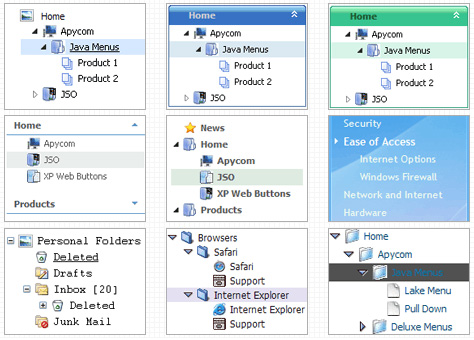
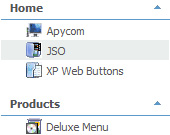
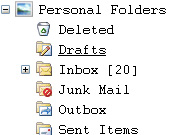
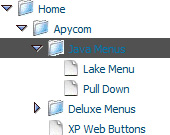
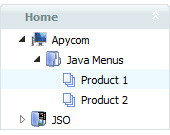
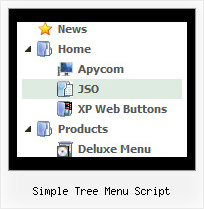
Menu Screenshots Simple Tree Menu Script

Simple Tree Menu Script Create Tree Menu Tutorials

Features Simple Tree Menu Script

Unrivalled Features
  • Scrollable, dragable, floating
  • Unique Java Script API for altering menu "on-the-fly", without page reloading
  • AJAX technology - loads menu data from the server "on-fly and on-demand".
Seamless Integration
  • Visible over flash, select boxes, iframes, java applets
  • Multiple menus on the same page
  • Amicable to other scripts and css styles
  • Any HTML code can be used inside menu items
Cascade Tree Menu Simple Tree Menu Script
High Performance
  • AJAX menu loading - loads web menu data from the server "on-the-fly".
  • Commonly loads quicker than other html page elements
  • Runs well with an unlimited number of submenus and items
Easy Setup
  • De Luxe Tuner. GUI interface to create your simple tree menu script menus easily and in no time
  • Sensible menu parameters for manual editing
Professional Look-n-feel
  • Entirely customizable look-n-feel
  • A lot of pre-designed simple tree menu script samples
  • Hundreds of visual effects
  • Custom CSS styles can be applied for all menu settings
Buy Now!  Free Trial Download

Javascript Tree Menu. Expandable Menu.

  • There can be as many submenus as you want.
  • Use a mouse to drag a menu as a usual window.
  • When the page is scrolled the menu remains visible. The Javascript/DHTML Tree can "float" along one or two coordinate axes. After clicking on menu item selected item becomes highlighted.

Recent Questions Simple Tree Menu Script

Q: I purchased your product yesterday and was quite impressed, but I am having a bit of a problem with my submenuitems.
In the general menu properties there is a "Global"   var titemHeight = 22;
My problem is that I would like my upper level of my drop down menu to have one itemheight and my submenuitems to have a smaller height. Is this possible?

A: In the XP Style

  var tXPStyle=1;
the item's height for the top items and submenus will be different.

If you want to use

  var tXPStyle=0;

you can set ite's height for the submenus:
  var titemHeight=16;

And for other items use the blank icon with the height you want to have for the upper level of your menu items.


Q: How do I turn off transitional effects in dhtml popup menu?

A: You should set the following parameters:

  var transition=-1;
  var transOptions="";
  var transDuration=0;
  var transDuration2=0;


Q: I've browsed your product, and I'm trying to determine if there is an existing template that would support a vertical flyout menu, where the static menu is one button, but when clicked on, it lays out 5 additional buttons in a straight line horizontally to the right of the static button. Is this feasible to create with your product with relative ease, and if so, what's the easiest way?

A: I suppose that you're saying about Pop up menu, see example here:

http://deluxe-menu.com/popup-mode-sample.html


Q: How can you set an item in a html form drop down menu to just a text and not a link?

A: Don't add link in the item's link field in that case:

["Home","", "default.files/icon1_s.gif", "default.files/icon1_so.gif", "", "Home Page Tip", "_blank", "", "", "", ],